01/28/21
Message Overview:
Message Description:
The cyan 'APU FAULT' advisory CAS message indicates a fault has been detected in the APU system.
- Either a bleed valve, fuel solenoid, start prevented, or avionics are not communicating with the electronic control unit.
- Typically there are three items that typically fail for these faults, EGT probe opening up and displaying EGT in dashes, Fuel shut-off valves sticking closed with no lite-off (no fuel vapor seen from APU exhaust), and failed igniter (no lite-off with fuel vapor in the exhaust).
- The DCU has posted this fault because of lack of communication with the ESU.
Possible Causes:
- None
Troubleshooting Tips:
Advisory Wire/Service Bulletin: None
Forum Articles/Infoservice/Newsletter: None
Quick Links:
None
Troubleshooting Recommendations:
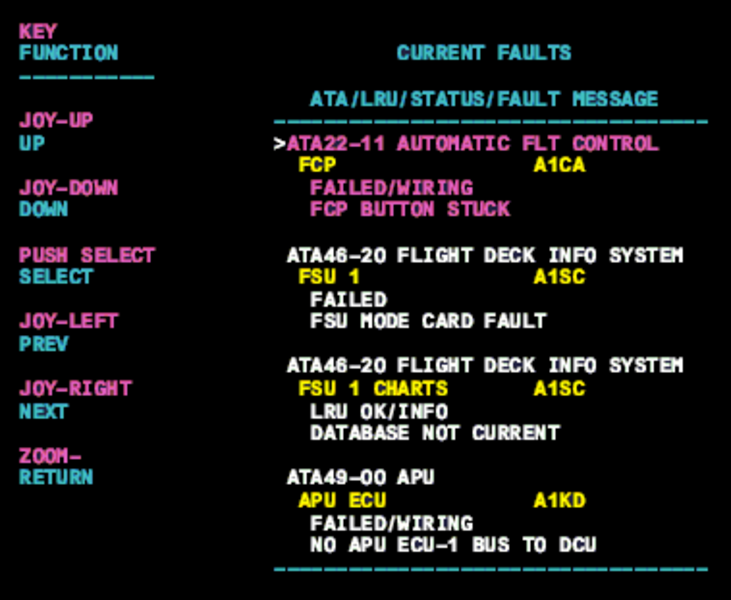
- Interrogate the MDC as follows:
- On the cursor control panel, ensure the toggle switch is to the right and select Anti-Ice, ECS and Fuel buttons simultaneously. The MDC main menu should now be displayed on Display Unit #3.
- Using the joystick, select Current Faults (if the fault is active) or Aircraft History to research stored faults. From Aircraft History you can then select Fault Message History and locate the air condition fault logged.
- Check the Current Service Message and Service Message History to look for messages associated with the APU, troubleshoot as required when identified.