background
x
loader
Troubleshooting
arrow By ATA By Message Color By Observed Faults by MDCBy Tips

Select color for CAS message that you wish to troubleshoot

(WARNING)
RED MESSAGE
(CAUTION)
AMBER MESSAGE
(ADVISORY)
CYAN MESSAGE
(STATUS)
WHITE MESSAGE
Require immediate crew attention. These messages are accompanied by flashing master warning, triple chime attenson with or without voice message or dedicated tone. Require immediate crew awareness and future crew action may be required in the form of alternate system selection or performance limitation. These message are accompanied by flashing master caution and a single chime. Indicate safe or normal system operation which require crew awareness, over and above the dark cockpit philosophy. Indicate minor failures or reduction in systems capability, which require no crew action.

This page includes :

For AOG assistance contact:

CRC Montreal (YUL)
Quick Links

01/28/21

Message Overview:

L ENG VIBRATION FAIL
(Advisory)

DDG Reference: 77-31-00
Pilot Action (QRH): NNA-13-2
System Description: 77-00-00
Schematic Diagram: 77-31-00
Wiring Diagram: 77-40-01
77-40-05

Message Description:

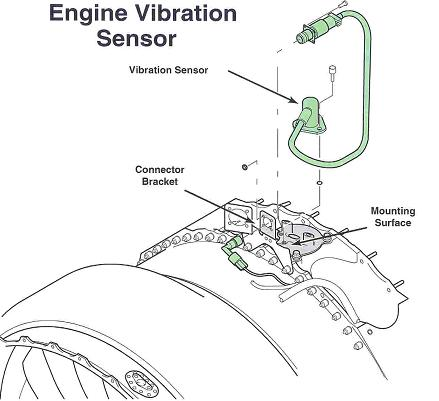
The cyan 'L ENG VIBRATION FAIL' advisory CAS message indicates a loss of vibration signal from the affected engine.

  • The vibration sensor is a dual channel sensor with outputs to both channels in the FADEC. This loss indicates both channels are lost and more than likely a failed sensor.

Possible Causes:

  • None

Troubleshooting Tips:

Advisory Wire/Service Bulletin: None

Forum Articles/Infoservice/Newsletter: None

Quick Links:

None

Troubleshooting Recommendations:

  1. Interrogate the MDC as follows:

    1. On the cursor control panel, ensure the toggle switch is to the right and select Anti-Ice, ECS and Fuel buttons simultaneously. The MDC main menu should now be displayed on Display Unit #3.
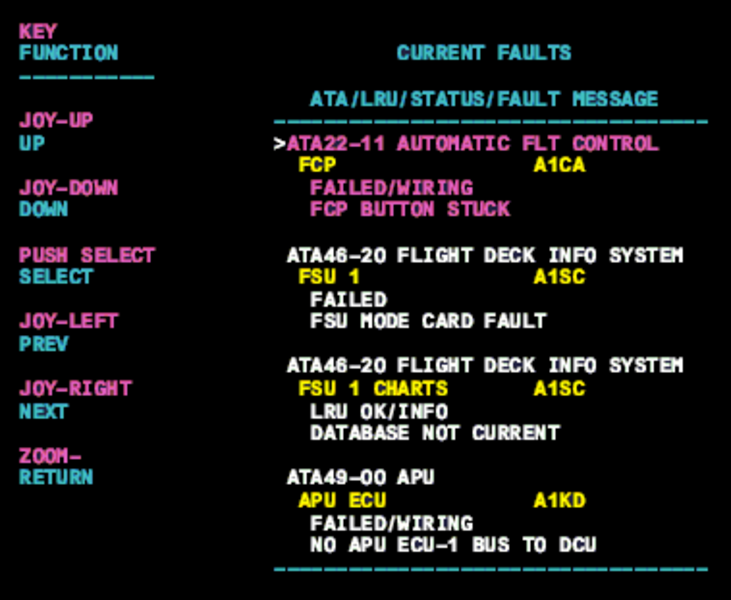
    2. Using the joystick, select Current Faults (if the fault is active) or Aircraft History to research stored faults. From Aircraft History you can then select Fault Message History and locate the fault. Going into advanced diagnostics will provide an equation id for the fault identified.
    3. Select the MDC fault or equation from the drop down below to provide additional information to assist in troubleshooting. Check MDC fault and for MCID code in advanced troubleshooting.
      45_current_faults10_vibration_sensor

Registered and/or unregistered trademarks of Bombardier Inc. or its subsidiaries. © 2015 Bombardier Inc. All rights reserved.