


11/04/24
Message Overview:
Message Name:
NO RA-FADEC BUS INPUT
Message Code:
B3-682381
Associated CAS:
| Reporting LRU: | Autothrottle (AT) Computer |
| Effectivity: | Post SB350-22-002 Aircraft 20937 and Subs |
| System Description: | 22-30-00 - Auto Throttle System (ATS) |
| Schematic Diagram: | 22-30-00 - Auto Throttle System (ATS) |
| Wiring Diagram: | 22-30-00 - Auto Throttle System (ATS) |
Message Description:
RA-FADEC bus is reported absent by R-IOC.
Possible Causes:
- Right IOC Card
- AT Computer (A252)
- Associated Wiring
Troubleshooting Tips:
Advisory Wire/Service Bulletin: None
Forum Articles/Infoservice/Newsletter: None
NOTE: Review the Auto Throttle "AT Diagnostic Information", to find details about the MDC Data Reader Labels & bits.
NOTE: Bombardier recommends referencing the elements one (1) through eleven(11) of the "Wiring & Connections" Troubleshooting Tips document. The intent of the document is to ensure the Maintenance Technician has the information needed to perform a comprehensive check of an aircraft system wiring circuit, while also doing checks found in the From - To tables called out in the Troubleshooting Recommendations element.
| From | To | Expected Results | Results |
|---|---|---|---|
| XXXX-XX | XXXX-XX | Continuity |
Quick Links:
| Removal of the Auto Throttle Computer | AMM 22-30-01-000-801 |
| Installation of the Auto Throttle Computer | AMM 22-30-01-400-801 |
| Removal of the Input/Output Concentrator Unit (IOC) | AMM 31-45-05-000-801 |
| Installation of the Input/Output Concentrator Unit (IOC) | AMM 31-45-05-400-801 |
| Operational Test of the Input/Output Concentrator Unit (IOC) | AMM 31-45-05-710-801 |
| Removal of the Integrated-Avionics Processor System (IAPS) Card Cage (ICC) | AMM 31-45-01-000-801 |
| Installation of the Integrated-Avionics Processor System (IAPS) Card Cage (ICC) | AMM 31-45-01-400-801 |
| Operational Test of the Integrated-Avionics Processor System (IAPS) | AMM 31-45-00-710-801 |
| Safety Precautions - Maintenance Practices - ALL | SPM 20-00-01-02-01 |
| Wire Repair - Maintenance Practices - ALL | SPM 20-12-10-02 |
| Electrical Connectors - Maintenance Practice - ALL | SPM 20-20-00-02-01 |
Troubleshooting Recommendations:
- Using the MDC, navigate to Current Faults, check for CAS or MDC Faults associated with the engine FADEC. Resolve active CAS & MDC Faults associated with the engine FADEC prior to starting this troubleshooting.
- Make sure the Autothrottle (AT) Computer Circuit Breaker (CB2-A8) is set to IN.
- If the CB was set to OUT, investigate the reason and set it back to IN if possible, confirm faults related to the AT system have cleared and do close out.
- If the CB was already set to IN, continue with next step.
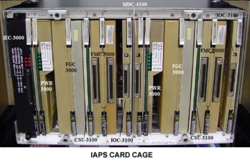
- Interchange the right Input/Output Concentrator (IOC) card in the IAPS with the left IOC card. Is the fault still present on the same side?
- If YES, return the IOC cards to their original position and continue with next step.
- If NO, replace defective IOC card.
- Remove the AT computer (A252) and disconnect Integrated Avionics Processing System (IAPS) connector A4P101.
- Do a wiring check between the AT Computer (A252) and the IAPS (A4) as follows:
NOTE: Refer to the "Wiring & Connections" document found in the Troubleshooting Tips ↑ element of this page. - If wiring defects are found, repair defective wiring as required and do close out.
- If no defects are found, continue with next step.
- Replace the AT Computer (A252)
- Do close out.
| From | To | Expected Result | Result |
|---|---|---|---|
| A252P1-7 | A4P101-69 | Continuity | |
| A252P1-8 | A4P101-70 | Continuity |
