


06/21/21
Message Overview:
Message Name:
CABIN TEMPERATURE TOO COLD OR TOO WARM
| Identifier: | 212OBS001 |
| Effectivity: | All |
| System: | Air Conditioning |
| Associated CAS: | None |
| System Description: | 21-20-00 |
| Schematic Diagram: | 21-21-00 [ Global Express ] [ G5000 ] [ Global XRS ] |
| Wiring Diagram: | 21-52-00 [ Global Express ] [ G5000 ] [ Global XRS ] |
Message Description:
There is too much warm or cold airflow in the cabin. It is hard to maintain the desired temperature.
Possible Causes:
- Cabin Temperature Sensor
- Cabin Air Distribution Ducts
- Air Conditioning System Controller (ACSC) 1 (A87)
- Air Conditioning System Controller (ACSC) 2 (A88)
- Associated Wiring
Troubleshooting Tips:
Advisory Wire/Service Bulletin: None
Forum Articles/Infoservice/Newsletter: None
Notice To Operators (NTO): None
Flight Operation Notifications Manual (FONM): None
Quick Links:
| Operational Test of the Mix Manifold Temperature-Sensors | AMM 21-21-09-710-801 [ Global Express ] [ G5000 ] [ Global XRS ] |
| Operational Test of the Temperature Control System | AMM 21-60-00-710-801 [ Global Express ] [ G5000 ] [ Global XRS ] |
| Removal of the Air-Conditioning System Controllers | AMM 21-60-21-000-801 [ Global Express ] [ G5000 ] [ Global XRS ] |
| Installation of the Air-Conditioning System Controllers | AMM 21-60-21-400-801 [ Global Express ] [ G5000 ] [ Global XRS ] |
| Removal of the Ventilated Temperature Sensors | AMM 21-60-25-000-801 [ Global Express ] [ G5000 ] [ Global XRS ] |
| Installation of the Ventilated Temperature Sensors | AMM 21-60-25-400-801 [ Global Express ] [ G5000 ] [ Global XRS ] |
| Wire Repair - Maintenance Practices - ALL | SPM 20-12-10-02 [ Global Express ] [ G5000 ] [ Global XRS ] |
Troubleshooting Recommendations:
- Locate and access each Cabin Ventilated Temperature Sensor. Make sure the sensor is free from dust or lint or any obstructions.
- If obstruction was found, clean the sensor housing and test the system. Do close out.
- If all Cabin Ventilated Temperature Sensors are free from obstructions, continue with next step.
- Inspect the cabin floor air distribution ducts and make sure there is airflow (no obstructions).
- If there is no airflow, inspect the obstructed ducts further and clear the obstruction.
- If airflow is satisfactory, continue with next step.
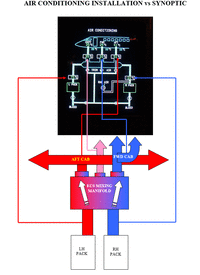
- Set the cabin temperature higher than the ambient temperature with the temperature control panel and monitor the PACK and TRIM AIR VALVES operation via the Air Conditioning synoptic page.
- If anomalies are found, troubleshoot the suspected component(s).
- If the system seems to operate normally, continue with next step.
- Swap ACSC 1 with ACSC 2. Is the fault still present or did the fault move to a different area of the aircraft?
- If YES, replace defective ACSC.
- If NO, continue with next step.
- Make sure the Aircraft has been in a hangar at ambient temperature for at least an hour. Using CAIMS, SYTEM DIAGNOSTICS, ATA 21, ACSC 1A or 2A sensor data, record all the sensor data requested on the ECS Data Table. Send the completed form to the Bombardier Customer Response Center (CRC) for analysis and further troubleshooting steps.
- Do close out.
